We did some trial & error on this one and made some progress, you were on the correct track. It worked for us under the Crostini (Linux [beta]) shell rather than the Crosh shell, that I believe should be indifferent to your needs to run some adb commands.
Steps:
- Fire up Linux(beta) and do an usual full apt house-keep
- Install adb
- Fire-up adb to get the
adbkey.pubfile - Copy the content of
adbkey.pubfrom Linux(beta) to/opt/google/containers/android/rootfs/android-data/data/misc/adb/adb_keysin a Crosh shell - Ensure ownership of
adbkey.pubis656360:657360 - On Crosh shell kill
adbd - On Linux(beta) issue
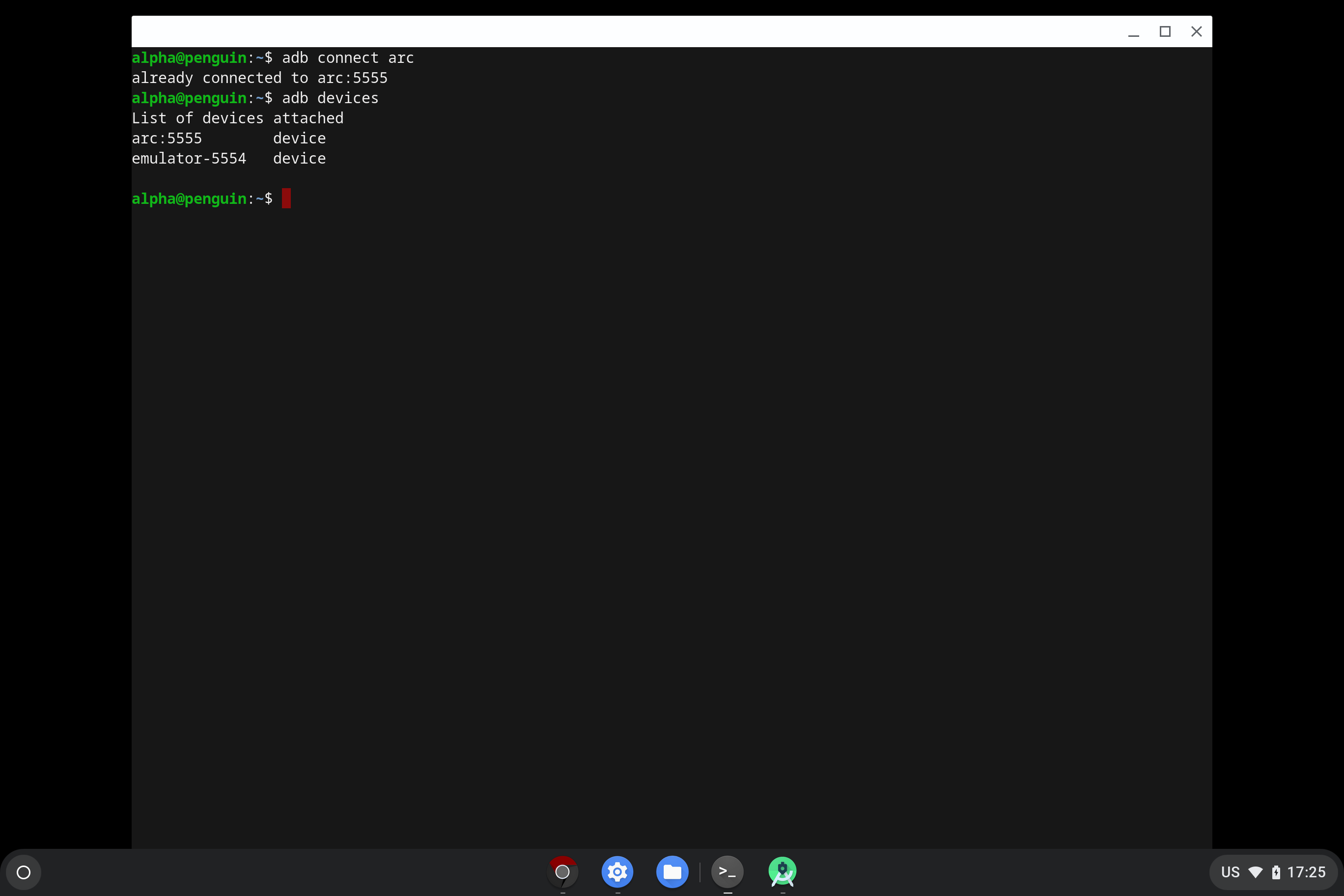
adb connect arc, then FydeOS Android should be hooked.
Commands example:
# chronos@localhost denotes Crosh shell
# fydeos@penguin denotes Linux(beta) shell

fydeos@penguin$ sudo apt update && sudo apt upgrade -y
fydeos@penguin$ sudo apt install adb
fydeos@penguin$ adb start-server
fydeos@penguin$ cat ~/.android/adbkey.pub

#copy the displayed keys

chronos@localhost$ sudo vim /opt/google/containers/android/rootfs/android-data/data/misc/adb/adb_keys

# paste the copied key in a new line

chronos@localhost$ sudo chown 656360:657360 /opt/google/containers/android/rootfs/android-data/data/misc/adb/adb_keys

# reboot or kill adbd from Crosh shell

fydeos@penguin$ adb connect arc
fydeos@penguin$ adb devices #verify if they are shown as below
Success screenshot:
Let me know how it goes for you.